


CSL Plasma
3.93.52K Reviews
App Specs
- Version
- 4.2.0
- Updated On
- License
- Free
- Downloads
- 1,000,000+
- Developer
- CSL PLASMA INC.
- Categories
- Medical
- Platform
- Android, iOS
Screenshots
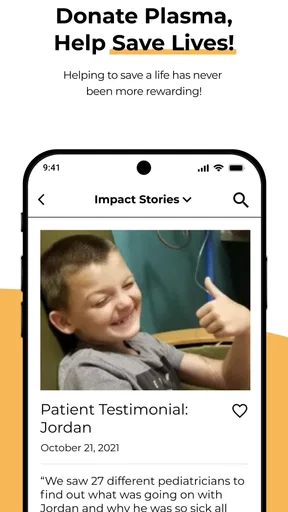
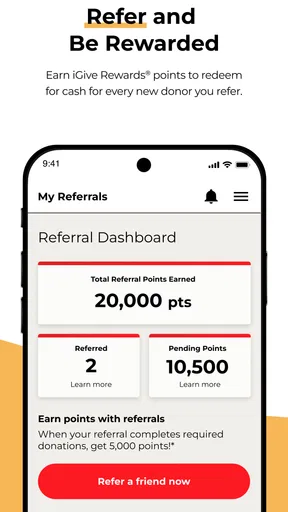
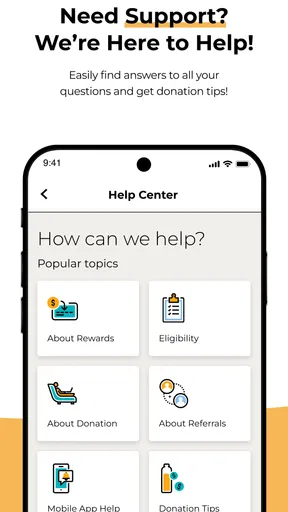
 Analysis by AppCompare
If you’re considering plasma donation, the CSL Plasma app is best understood as a companion for people who already plan to use CSL Plasma centers. I see its value less in explaining donation from scratch and more in helping donors keep practical tasks—appointments, account details, and rewards—in one place. That convenience can make a repeat routine easier, though the app is not a substitute for checking whether you are eligible to donate or asking a center about a specific concern.
Who benefits most from having it on their phone
I’d recommend it most to someone who has chosen a CSL Plasma center and expects to donate more than once. Keeping donor-related tasks together is useful when you are fitting visits around work, classes, or family responsibilities. A first-time donor can also use the app to get oriented, but should treat it as a planning aid rather than a replacement for the center’s own instructions and screening process.
For example, imagine you have a free morning next week and want to avoid making the trip only to discover that the timing does not suit you. Checking appointment availability before leaving home can help you plan the visit around the rest of your day. I would still allow flexibility: an appointment is a way to organize your schedule, not a promise that the whole visit will take a fixed amount of time.
How it fits beside other ways to manage a donation
Compared with keeping reminders in a calendar and notes about visits in a separate app, CSL Plasma brings donor-specific tasks closer together. A regular calendar may be better if you only need a basic reminder, while a phone’s notes app can work for someone who prefers to track personal details themselves. Those alternatives do not provide the same center-focused workflow, so the choice comes down to whether you want a dedicated donor app or simply need a prompt not to forget an appointment.
The app is not a general medical record or a way to compare every plasma donation provider. Its usefulness depends on your connection to CSL Plasma. If you are still deciding where to donate, or you plan to visit another provider, a provider-neutral source of information may serve you better while you compare location, procedures, and requirements.
Small planning choices that make visits smoother
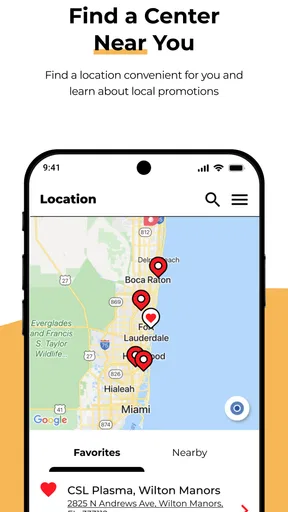
I would check the center and appointment details before setting out, especially if you have more than one CSL Plasma location within reach. A convenient time at one center may not be the most practical choice once you account for travel and the rest of your day. If the app shows center activity, use that as a planning clue rather than a guarantee that a particular slot will be quiet.
It also helps to keep your account information current and to make a personal calendar reminder if you rely on reminders for important plans. App notifications are convenient, but phone settings can silence or restrict them. Using a second reminder is a simple backup, not extra busywork, when missing a scheduled visit would disrupt your day.
Worth Reading Before You Choose

EA SPORTS FC Mobile 26 Is a Bigger Football Game, but It Takes Time

Flipboard Shows What News Apps Must Do Beyond the Feed

Switching to Android Auto Means Rethinking Your Driving Routine

Google Calendar Makes a Crowded Week Easier to Manage

Ludo King Makes the Most of the Minutes Between Plans

Baby Panda World Brings Quick Play to Modern Phones, but Its Game Library Feels Busy
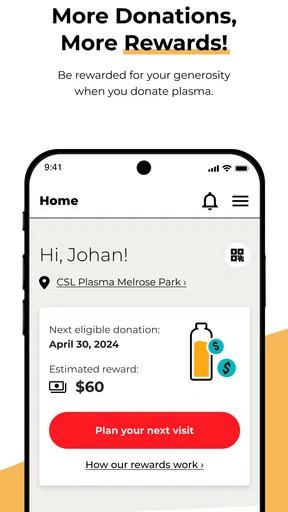
For rewards, I would look at the terms attached to whatever is currently shown in the app before making plans around it. Promotions and reward details can change, so I would not treat a past offer or an expected amount as guaranteed. That is especially important if you are weighing the time and travel involved: make the donation decision for reasons that work for you, and treat rewards as a separate consideration.
What the app cannot decide for you
Plasma donation involves health and eligibility considerations, so an app should not be treated as a personal medical clearance. If you are unsure whether a health change, medication, or recent event affects your ability to donate, ask the center or a qualified healthcare professional rather than relying on an appointment screen. The app can help with administration; it cannot replace screening or individualized advice.
Likewise, a scheduled visit may still require time at the center for the steps involved in donation. I would avoid stacking an appointment immediately before something that cannot be delayed. Anyone whose day depends on a strict end time may prefer to choose a less pressured window or contact the center about what to expect before committing to the trip.
A practical choice for CSL Plasma donors
As a medical app, CSL Plasma is focused on a specific service rather than broad health tracking. It is free, developed by CSL PLASMA INC., and has an Everyone age rating. Its current version is 4.0.1; the app was released on July 22, 2020. Those details place it as an established donor companion, while the version number alone does not tell me which changes were made or how a particular screen behaves on every device.
Its scale is notable: it has over one million installs, an average rating of 3.9 from around eleven thousand ratings, and about three and a half thousand written reviews. I take that as evidence that many people use and assess it, not as a guarantee that every donor will have the same experience. The useful test is whether it supports the tasks you actually need at your center.
Using CSL Plasma in the flow of a donation
For an existing donor, the best routine is straightforward: check the app before planning a visit, confirm the appointment details, and keep any relevant account information accessible. If something looks wrong, resolve it before you travel rather than assuming it can be fixed at the last minute. New donors should also confirm the center’s instructions directly, since an app account does not by itself establish eligibility or complete the in-person process.
Getting Started with CSL Plasma
First things first, downloading the CSL Plasma app is as easy as pie. It's available for both Android and iOS, so you’re covered no matter your device of choice. Once installed, you’ll be greeted by a clean and straightforward interface that doesn’t make you feel like you’re navigating a maze. The app guides you through setting up your account, which involves entering some basic personal information and, of course, your donor ID if you already have one.
The registration process is smooth, and I appreciated the app’s ability to save my information securely. This means you won’t have to dig up your details every time you want to donate, which is a real time-saver. Plus, who doesn’t love a bit of convenience?
Booking Your Donation Appointment
Once you're all set up, booking an appointment is as easy as clicking a few buttons. You can view the available slots at your nearest CSL Plasma center and pick a time that suits you. The app even sends you reminders, so you won’t accidentally double-book yourself or forget your appointment. Trust me, this feature is a lifesaver for someone as forgetful as I am!
One thing I found particularly handy is the app’s ability to check the volume of donations at different centers. This means you can choose a less busy time to donate, which is perfect if you’re looking to get in and out quickly.
Tracking Your Rewards and Earnings
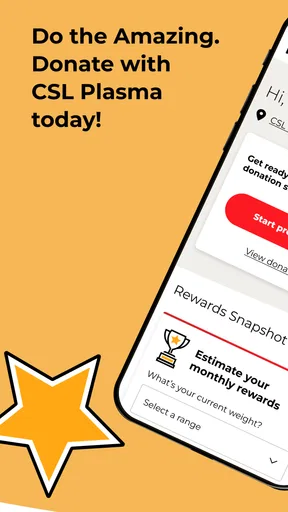
Let’s talk rewards because, honestly, who doesn’t love a good perk? The app keeps a detailed log of your donation history and the rewards you’ve earned. It’s pretty motivating to see your progress, especially when you’re working towards a particular goal or reward.
The reward system is quite generous. You can earn bonuses for frequent donations and even score some extra cash during special promotions. The app makes it easy to keep track of all this, so you always know what you’re working towards. And yes, it feels pretty great to see those rewards stack up!
User Experience and Support
Overall, the CSL Plasma app offers a seamless user experience. The design is intuitive, which means you won’t spend ages trying to figure out how to do something. Everything is where you expect it to be, from the appointment scheduler to the FAQs.
If you do run into any issues, the app has a helpful support section. You can find detailed FAQs that answer most common questions, but if you need more personalized help, reaching out to customer support is straightforward. I had a minor hiccup with my account, and I was pleasantly surprised at how quickly the support team responded and resolved my issue. Kudos to them for that!
Final Thoughts
So, would I recommend the CSL Plasma app? Absolutely. It takes what can be a slightly daunting process and makes it approachable and manageable. From setting up appointments to tracking your rewards, everything you need is at your fingertips.
Whether you’re a first-time donor or a regular, this app is a fantastic tool to help you manage your donations effortlessly. Go ahead and give it a whirl—I’m pretty sure you’ll find it as helpful as I did!
Pros
- User-friendly interface for easy navigation.
- Timely notifications for donation reminders.
- Comprehensive donation history tracking.
- Secure login with biometric authentication.
- Rewards program for frequent donors.
Cons
- Limited availability in some regions.
- Requires stable internet for updates.
- Occasional login glitches reported.
- No offline mode for data access.
- Customization options are limited.
FAQs for CSL Plasma
What is CSL Plasma and how does it work?
CSL Plasma is a mobile app designed to streamline the donation process at CSL Plasma centers. It allows donors to manage appointments, track donation history, and access rewards. The app syncs with your donor profile to provide a seamless experience, making it easier to keep track of your donations and benefits.
How do I set up my profile on the CSL Plasma app?
Setting up your profile on the CSL Plasma app is simple. After downloading the app, you’ll need to create an account with your personal information, such as name, email, and donor ID. Once registered, you can access your donation history, schedule appointments, and manage your rewards through an easy-to-use interface.
Can I schedule appointments through the CSL Plasma app?
Yes, the CSL Plasma app allows you to schedule and manage appointments directly from your device. This feature helps minimize wait times and ensures you can plan your visits according to your convenience. Notifications and reminders are also provided, so you never miss an appointment.
What are the rewards and how can I track them in the CSL Plasma app?
The CSL Plasma app includes a rewards program that lets you earn points for each donation. These points can be redeemed for various benefits. The app provides a detailed dashboard where you can track your current points balance, view past redemptions, and explore available rewards options.
Is the CSL Plasma app secure and how does it protect my data?
Security is a top priority for the CSL Plasma app. It employs robust encryption and security protocols to protect your personal and donation data. Regular updates and compliance with data protection laws ensure that your information remains safe and confidential throughout your use of the app.


